Automate aggressively.
The work that returns to zero every cycle — the status email, the file move, the report nobody reads. Savings compound; the work itself does not.
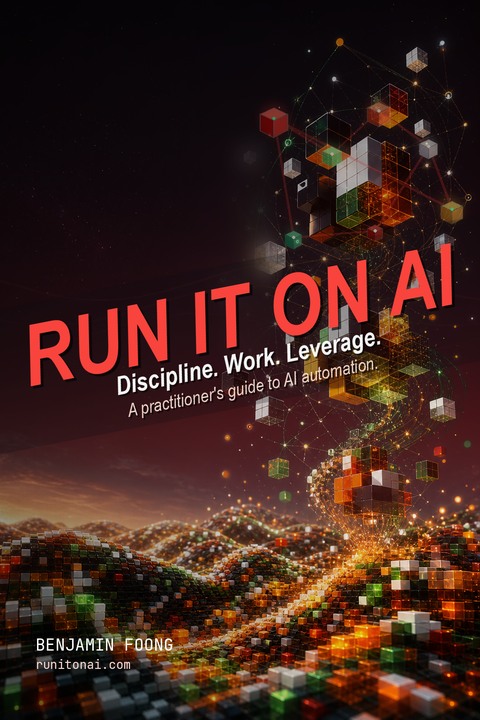
How AI tools actually work, and how to use them to take the routine work off your desk this week.
For founders and operators of small companies who already use AI every day — ChatGPT tab open, a few prompts that save time, automations that mostly work — and still find that the company runs through the same three people.
The ebook walks you through how the AI tools you already pay for actually work under the hood, the prompting that gets useful output, the discipline of questioning the work before you automate it, and how to build on the apps you already use — Make.com, n8n, Airtable, Stacker and Glide. Open any chapter and ship one small automation this week.
It is 4pm on a Tuesday.
ChatGPT has been open since morning. The sheet is open. Three emails are sitting half-replied. Someone needs you to check a number. The automation that was supposed to save you Wednesdays is broken again and you are not sure when it stopped working. Your team is moving, but they are moving through you.
You did not start the company to be the routing layer. You started it to do the part only you can do — call the client, make the judgment, close the deal, design the thing, lead the people. The rest was supposed to be machinery.
AI was supposed to be the machinery. And in pieces, it is. The prompt that drafts the email. The sheet formula that finally parses the address. The automation that pulls the report on Friday. Real wins. Just not enough of them to make the company run without you.
A working demo is not the same thing as a company workflow
Tutorials teach one automation. Prompt packs improve one conversation. Tool docs explain one product. Agent demos skip the parts that decide whether the work survives Monday morning.
Real operations need intake, records, routing, review, escalation, permissions, handoff, and maintenance. Someone has to decide where the work starts, where it lands, who trusts it, and what happens when it fails. None of that comes free with a chatbot.
Hiring adds capacity, but it also adds management drag. If the work underneath is still messy, a bigger team just gives the mess more places to hide. And the operator — you — still becomes the routing layer, only with more direct reports asking the same questions.
Resetting, reinforcing, reframing — the taxonomy the rest of the ebook runs on
Take any task in your business and ask one question about it: does the value of doing it reset every time, or does it compound? That single question decides what to automate and what to leave alone. The ebook's strongest opinion sits here.
The work that returns to zero every cycle — the status email, the file move, the report nobody reads. Savings compound; the work itself does not.
The work that compounds because the same person keeps doing it — sales calls, the knowledge base, the client-context document. Hand it fully to AI and you break the loop that made it compound. The human keeps the relationship; the AI removes the friction around it.
The work that creates new value because a human is doing it — judgment, naming, direction, the decision the company actually runs on. Do not automate this. Protect the hours for it by handling the first kind well.
Resetting work is for tools. Reinforcing work is for tools plus you. Reframing work is for you. Chapter 1 builds the taxonomy; every chapter after it refers back to it when deciding what to build and what to leave alone.
Discipline first · then the work · then the leverage
Run It on AI is structured in three acts. The first builds the discipline you need before you touch any tool. The second teaches the work itself — the harness you sit inside, and the glue that connects it to the rest of your operation. The third is where you build the artifacts that make all of it yours.
How language models work under the hood. The fluency trap — the model sounds equally certain when it is right and when it is making things up. The model-vs-harness distinction: identical model weights produced a 25-point swing on the same benchmark inside a different harness. The two levers — prompting and context — you actually control. Treat the model as commodity. Treat the harness as the work.
The question-the-work-first discipline and the six consequences that follow: document before delegate, clean inputs before you build, match rules to deterministic work and AI to interpretive work, ship the smallest useful version, build observability before the workflow, run a cost-per-decision review weekly. Plus an 8-check readiness review at the end of the chapter with one of four verdicts: Ready, Almost Ready, Not Ready, or MVP It.
Concrete automation patterns on Make.com, n8n, Airtable, Stacker, and Glide — the glue layer that holds AI output in the places your team actually works. The glue test for when a model belongs inside the scenario, the per-tenant isolation pattern for multi-client workflows, and how to keep the automation running after the founder stops paying attention to it.
Solo? The same patterns work harder for you, not less. Several of the implementation blocks in the ebook were first run by solo operators trying to take a real vacation.
A Skill that installs next to your AI and applies the ebook's disciplines when you ask
The TL;DR is a Skill. A Skill is a small file that lives next to your AI and quietly teaches it how you want it to behave for a particular kind of work. The ebook ships this one. Once installed, the AI knows the ebook exists and applies the ebook's exercises and disciplines to your actual situation when the work matches.
The ebook ships with a Skill — a small companion tool that installs next to the AI you already use. Once installed, your AI knows the ebook exists and quietly applies the ebook's disciplines when you ask it AI-automation questions. You did not change your AI. You added one thin layer of context to it.
You paste one block of text into your AI. The prompt carries the install steps with it; your AI shows you what it will run and, with your ok, installs the Skill — or hands you a single copy-paste command. No terminal required. Fully automatic in Claude Code; Claude Desktop, Claude Web, Cursor, and Codex install through a one-line copy-paste. ChatGPT does not currently support MCP-based skills — if ChatGPT is your only AI, the Skill install will not run; use Appendix D instead.
The next time you open a fresh conversation, the Skill is there in the background. It engages when you ask the AI something the ebook has an opinion about — automating a piece of work, choosing a tool, drafting a custom agent — and folds the discipline into its answer.
The Skill install does not work in ChatGPT today — ChatGPT does not currently support MCP-based skills. If ChatGPT is your only AI, the install will route you to the bonus below instead.
Paste it into any AI. Answer a few questions. Walk out with one next move.
Appendix D ships a copy-paste prompt that turns the ebook into an AI-guided interview for the work already on your desk. Give your AI tool access to the PDF, the Markdown, or the web-reader link, paste the prompt, answer a few questions, and come out with the chapter you should read first and one specific next action you can finish in under thirty minutes. Works in any AI tool that can read what you give it — ChatGPT included.
Give the AI tool you already use the PDF, the Markdown, or a link to the web reader. The interview only works against text it can actually read. The prompt itself tells the AI not to pretend it has read what it cannot access.
The AI interviews you on the work you do, the tools you already use, the recurring task that ate too much of your last seven days, and whether you control the budget. One question at a time. It pushes back on vague answers.
It routes you to the chapter that matches your situation and hands you a single concrete next action — usually something you can finish in under thirty minutes. You can be working before you have read the rest of the ebook.
An Implementation Block at the end of every chapter
Open the block, paste it into your AI, answer the questions, and walk out with a decision, an artifact, or a next step. Six chapters carry an Implementation Block (Chapter 7 is the playbooks themselves — five of them, turn by turn). Appendix E ships a separate context-document interview the rest of the ebook leans on.
Before you build anything, two questions: what would you do with the time if all your resetting work were handled, and which one piece of your current work — if you made it ten times better instead of automating it — would change the next twelve months of the business. The artifact every later chapter checks against.
Eight checks the AI walks you through on a specific process you want to automate. The questioning check, the end-in-mind check, the scope check, documentation, data, rules-or-model, review-and-approval, observability — and one of four verdicts at the end: Ready, Almost Ready, Not Ready, or MVP It.
The interview that produces a single specific candidate, named in one sentence — which of the three kinds it is, which tool to build it with, and the first concrete under-thirty-minute step you can take this week. The full prompt is reproduced on this page below.
Before you commit to a harness, four questions about how you work, how much standing context you carry, what your real tools are, and how much of the work is text-only versus filesystem-level. The answers tell you whether Claude Desktop, the terminal flavor, or one of the alternatives fits your operation.
Walk the AI through where the output of your current AI work lands after the model produces it. Locate every place a human is copy-pasting AI output into the next system, then decide which gap is the right first one to close with glue — Make.com, n8n, Airtable, or a thin frontend.
Pick one document template you produce over and over — the weekly brief, the monthly close, the client kickoff — and walk the AI through turning it into a Skill folder you can install next to Claude. Verb-noun name, trigger-shaped description, short body, the supporting files alongside.
A separate interview, before any of the above. The AI reads everything it already knows about you, drafts as much of a reusable context document as it can, and interviews you only on the gaps. The artifact you paste at the start of every AI conversation from then on.
Here is one block — the Chapter 3 Implementation Block, "Pick Your First Automation" — in full, exactly as it appears at the end of the chapter. It is the one that turns the framework into a single concrete first automation. You can run it without reading the rest of the ebook; if it works, the ebook is the rest of the toolkit.
How to use it. Copy the prompt below and paste it into any frontier-lab assistant — Claude, ChatGPT, or Gemini. Answer the questions one at a time. You will walk out with a single specific automation candidate, the kind of automation it is, and the tool you should build it with — named in enough detail that you could start tomorrow.
The prompt you paste
You are a practical advisor on AI automation. You are applying the framework from Chapter 3 of the ebook "Run It on AI" by Benjamin Foong — your job is to walk me through picking my first automation, not the most ambitious one. The right first one. Output a single specific candidate, the kind it is, and the tool I should build it with.

Here is the framework you are applying:

- Question 1: Does this work eat real time, every week? (Frequency × time × the cost of refocusing after switching into it.)
- Question 2: Is the answer the same kind of thing every time? (Stable shape, even if the details change.)
- Three kinds of automation: Plain-and-Simple Workflow (no AI in the path), AI-augmented workflow (one AI step inside a fixed sequence), AI agent (the AI chooses the steps).
- Three traps to avoid: don't automate the most interesting task instead of the most boring one; don't automate something still changing week to week; don't automate something high-stakes or customer-facing first.

Interview me by asking one question at a time. Wait for my answer. If I answer vaguely, ask one clarifying question before moving on. Keep responses short — one or two sentences of acknowledgment, then the next question. Save the analysis for the end.

Cover these in this order:

1. Walk me through last Tuesday hour by hour. Which recurring tasks took the most time, including the time it took me to refocus after each one?
2. Pick the one that hurts the most. Is the answer it produces the same kind of thing each time, or is the right answer wildly different week to week?
3. Is the process behind that task currently stable, or is it still changing — rules shifting, format changing, scope creeping?
4. What is the cost if this automation goes wrong — embarrassing in front of a customer, expensive in money, or low-stakes and easily fixed?
5. What tools do I already pay for that touch this work? Any AI assistant, automation platform, productivity suite, or database I am already inside.
6. If you don't pick the tools in your org — embedded role, locked toolset, principal who chose the platform on price — answer this instead: what's the cheapest, most portable thing I can layer on top of what you already have, that won't get vetoed and won't break when leadership changes the underlying tool?

When you have enough information, write a single paragraph that contains exactly five things and nothing else:

- The specific automation candidate, named in one sentence ("automate the weekly metrics email to the leadership channel," not "automate reporting").
- Which kind it is — Plain-and-Simple Workflow, AI-augmented workflow, or AI agent — with one sentence on why that kind fits.
- The primary tool to build it with, given my existing setup.
- The first concrete step I can take this week — one specific action, under thirty minutes.
- A pointer to Appendix B for current pricing and setup detail on the recommended tool, and to Appendix C if I want to see similar automations sorted by area and kind.

If the right tool for my work is a competitor of yours, name the competitor. The honesty is the whole point of the exercise.

Start with question one.
What it asks you
What it returns
A single paragraph with exactly five things and nothing else: a specific named candidate ("automate the weekly metrics email to the leadership channel," not "automate reporting"); which kind it is (Plain-and-Simple Workflow, AI-augmented workflow, or AI agent) and why; the primary tool to build it with given your existing setup; the first concrete under-thirty-minute step you can take this week; and a pointer to Appendix B for pricing and setup detail on the recommended tool.
If the AI you run this on recommends itself, take that with a grain of salt. The exercise still works — you get a defensible reasoning trail. Run it on a different model and compare. Two models that disagree are more useful than one that does not.
Discipline · Work · Leverage
The mental model for what AI actually does, the move to make before you build anything, and the way to decide which kind of automation fits which piece of your work.
A language model is a prediction machine that has read most of the internet and remembers none of it. The fluency trap (the model sounds equally certain when it is right and when it is making things up), the harness vs. the model, the context window, and the two levers — prompting and context — you actually control.
The one discipline that prevents most expensive automations: question the work before you automate it. Six consequences that fall out of it — document the SOP, clean the inputs, match rules to deterministic work and AI to interpretive work, ship the smallest useful version, build observability before the workflow, and run a cost-per-decision review every week.
Three kinds of automation — Plain-and-Simple Workflow, AI-augmented workflow, AI agent — and how to tell which one each piece of your work actually wants. The Two-Question Test for picking your first automation, and Gartner's 'agentwashing' callout for the chat-skin-on-a-workflow products being sold as agents.
The two layers most operators live in once the discipline is in place: the harness you sit inside every day, and the boring glue that connects it to the rest of your operation when nobody is at a keyboard.
Why the harness matters more than the model (identical model weights produced a 25-point swing on the same benchmark inside a different harness), the three modes of Claude Desktop — Chat, Cowork, Code — and how to pick the one that fits the work in front of you. Memory, projects, MCP connectors, and standing context.
Four tools: Make.com (the default for workflow automation), n8n (when you need self-hosting or open-source), Airtable (the default for operational data), Stacker and Glide (the default for lightweight frontends on Airtable). The glue test for when a model belongs inside the scenario, and the per-tenant isolation pattern that keeps multi-client workflows from bleeding context.
Where you stop using what the vendor ships and build the layer above it. The chapter that defends the ebook's durability against the next vendor wave, and the chapter that walks through specific playbooks you can run tomorrow.
Build your own Skills (small folders Claude loads when the work matches), Plugins (versioned bundles you install in any compatible harness), and Sub-agents (specialists your main session spawns for a defined job). Built on the open agentskills.io standard Anthropic released in December 2025 — the artifact survives whichever harness you switch to next.
Five turn-by-turn playbooks: contract and proposal review, weekly cross-engagement status synthesis, customer-feedback synthesis, board or client meeting prep, and project after-action. Each one has the setup-once instructions, the exact prompts in sequence, the back-of-envelope token cost per run, and the failure mode to watch for.
Plus Appendix C — a catalog of automation ideas sorted by area (sales, marketing, operations, finance, personal) and tagged by which of the three kinds each one is. Appendix D — the reader-interview prompt. Appendix E — the context-document interview the rest of the ebook leans on. Appendix A and B — glossary and online reference.
Live client systems, and one named failure
The patterns in the ebook are not from a research deck. They came out of building AI-shaped operations for small companies — and from running our own. Three of the live systems behind the material, plus one named failure that drives the observability discipline:
Written by Benjamin Foong, who runs StructLabs.io and built each of the three systems above. The ebook is the operations playbook from those engagements, with the client specifics removed.
These are representative, not exhaustive. Specific client numbers and public names are added only after they are verified and approved for publication. Where a client is named — such as Zach Daly in the reader testimonials — the reference appears with that client's explicit consent.
Two early readers — one a client, one an independent reader
Two people who read Run It on AI early: a client who has watched the approach work inside his own operations, and an independent early reader. On the approach, the clarity, and the fact that the ebook keeps getting updated.
Run It on AI captures what makes Ben's approach so valuable: he begins with the work rather than the technology. I have seen him turn messy operational challenges at OmniVenture and OmniHOA into clear, practical systems, while staying honest about where AI adds value, where simple automation is better, and where a human still needs to make the call.
Zach Daly, Founder — OmniVenture Enterprise Consulting & OmniHOAA very pragmatic and concise approach — yet thorough and relevant. Overall, an engaging and useful read.
Furthermore, it's a live document that updates from time to time, addressing the biggest issue we have with static books in today's fast changing world.
Alfred A., Singapore — independent early readerDamaging admissions, on purpose
It is not a prompt pack. There are prompts inside, but they are subordinate to the operating decisions. If you want a dump of clever prompts, there are cheaper ones on Gumroad. Go buy one of those instead.
It is not an ML or data-science ebook. There is no fine-tuning, no RAG architecture, no vector-database lore. If you are building a model or shipping AI as a product feature, this is the wrong ebook.
It is not a passive read. Several chapters will tell you to fix the process before you automate it. That is slower than the other ads promise. Some readers want the build-the-agent-today shortcut. The ebook will not give you that shortcut, because the shortcut is what produces the fragile automations you already have.
It is also built on a month Ben broke a Make.com scenario for a client and did not notice for two months — forty-one statements that should have left the building and did not. That month is where the observability discipline in the ebook comes from. This is advice from someone who has had a workflow fail quietly in front of paying customers, and built the discipline against it.
It will not guarantee a financial outcome from a $39 ebook. Anyone who guarantees that with an ebook purchase is lying to you. The ebook gives you a way of working. What you do with it is yours.
Offer
The list price is $39. The $20 launch discount is applied automatically at checkout — no code required, no countdown timer, no fake discount theater. It is a craftsman's price for a piece of work that came out of operations engagements that bill at many multiples of that. The point is not the price. The point is that the AI work in your business finally has a way of being run.
You get the full ebook — PDF, gated web reader, and agent-readable Markdown. Also included as bonuses: the TL;DR companion Skill, the Appendix D reader-interview prompt, the Appendix E context-document interview, the Appendix C catalog of automation ideas, and the Implementation Block at the end of every chapter. Thirty-day refund — reply to your receipt, no questions. v1 updates continue as long as the ebook can reasonably keep being improved, and may stop at any time. The checkout page is the source of truth for what is shipped today.
Two options, both included with the ebook. The TL;DR — a Skill that installs next to the AI you already use and applies the ebook's disciplines when you ask it AI-automation questions. Or, if you use ChatGPT (which cannot install MCP-based skills today), the reader-interview prompt in Appendix D — paste it in, answer a few questions, get routed to the chapter that matches your situation, walk out with one next action you can finish in under thirty minutes.
No. You do need to be willing to read carefully, think through how work moves through your company, and improve the spreadsheets, forms, docs, and handoffs you already use. The terminal flavor of Claude Code is one option in Chapter 4; the Desktop flavor with the same capabilities behind a graphical interface is the other.
No. Prompts appear where they earn their keep — every chapter ends with one — but the ebook is about operating discipline. Question the work before you automate it. Match the kind of work to the kind of automation. Build observability before the workflow ships. Watch the per-decision cost weekly. Prompts are a sliver of the work; the disciplines are the rest.
Tools will move. The ebook is built around the slower patterns: the R-R-R taxonomy for what to automate and what to protect, the model-vs-harness distinction, the three kinds of automation, the per-tenant isolation pattern, the Skills/Plugins/Sub-agents shape Anthropic donated to the Linux Foundation as an open standard. Those outlast the tool churn.
That is exactly why the ebook spends so much time on documentation, clean inputs, and handoff. A workflow that only the technical person on the team understands will not survive their day off. Chapter 2's discipline is the answer.
Because an ebook is searchable, skimmable, and useful as implementation reference. The agent-readable Markdown is included so your AI tools can read the same material you do.
The full ebook — 7 chapters in 3 acts — in three formats: PDF, gated web reader, and agent-readable Markdown. Bonuses included with the ebook: the TL;DR companion Skill, the Appendix D reader-interview prompt, the Appendix E context-document interview, the Appendix C catalog of automation ideas sorted by area and kind, and the Implementation Block at the end of every chapter (one per chapter for Ch 1–6; Chapter 7 is the playbooks themselves). The checkout page is the source of truth for current delivery.
Yes. Thirty days, no questions asked. If it is not what you needed, reply to your receipt and you will be refunded.
Yes, for v1 updates as long as the ebook can reasonably keep being improved. Updates are intended to continue and may stop at any time.
See our Terms of Service at /terms and Privacy Policy at /privacy.
The ad hoc version of AI feels productive. It produces visible artifacts quickly. The problem is that the company does not change. Same bottlenecks, faster outputs, same dependency on you.
The business actually changes when the AI work has somewhere to live after the prompt — intake, records, handoff, monitoring, all owned by something other than your attention.
If you want to run more of the operation through systems before you hire again, get the ebook, open one chapter, and ship one small automation this week.
P.S. The refund is unconditional. Buy the ebook, read a chapter, build one automation against one slow piece of your week. If thirty days later you cannot point to a workflow that is more durable than it was when you started, reply to your receipt. You get the $39 back. The risk is mine, not yours — because the ebook either does the work, or it does not, and either way the answer should be obvious by day thirty.